
Take Control of Your Financial Future
Smart budgeting, AI-powered transaction tracking, and intelligent insights to help you manage your money like never before.
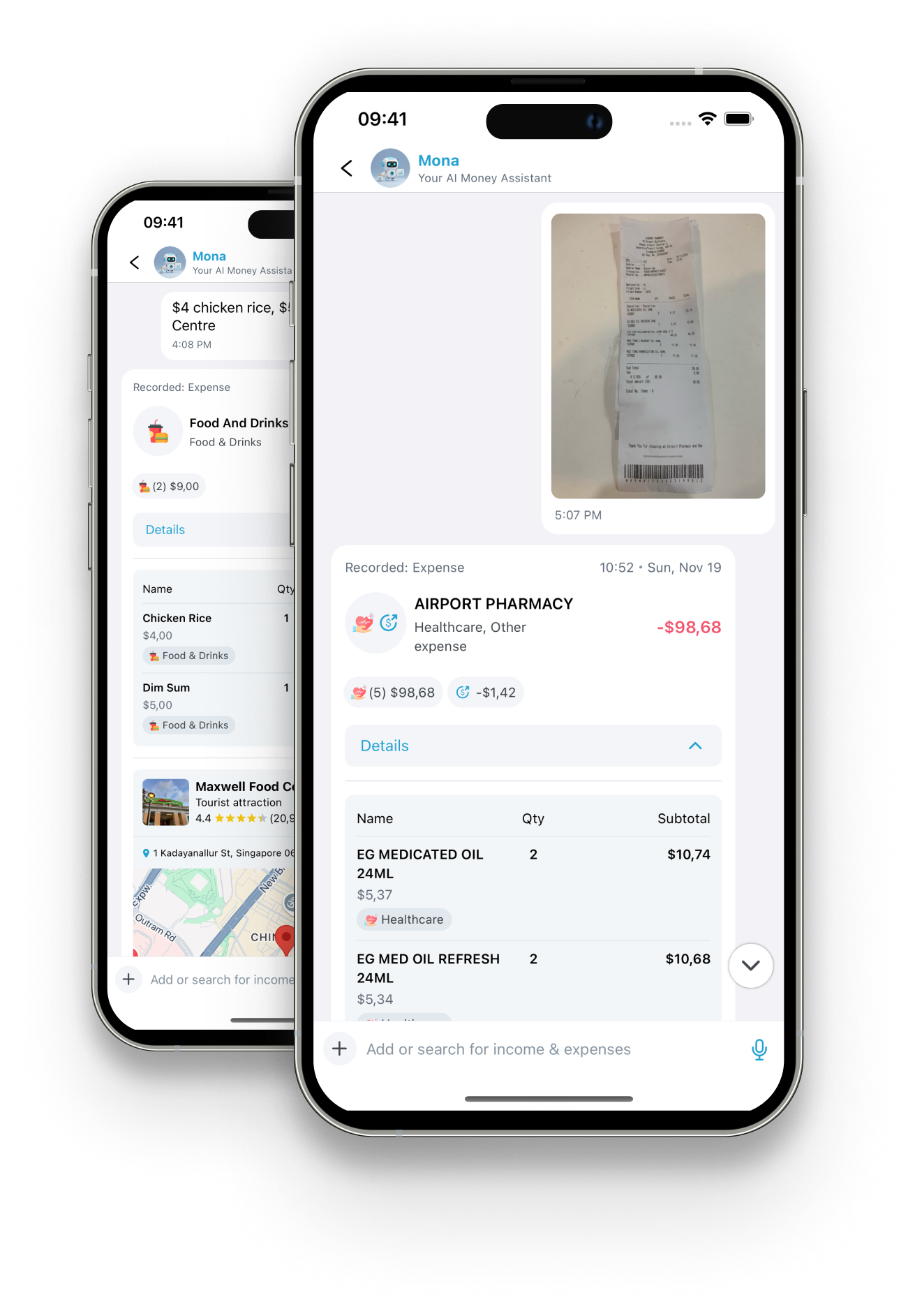
Powerful Features for Smart Money Management
Everything you need to track, budget, and optimize your finances in one intelligent app
AI-Powered Tracking
Let Mona, your AI assistant, automatically categorize and track expenses through text and image recognition.
Smart Budgeting
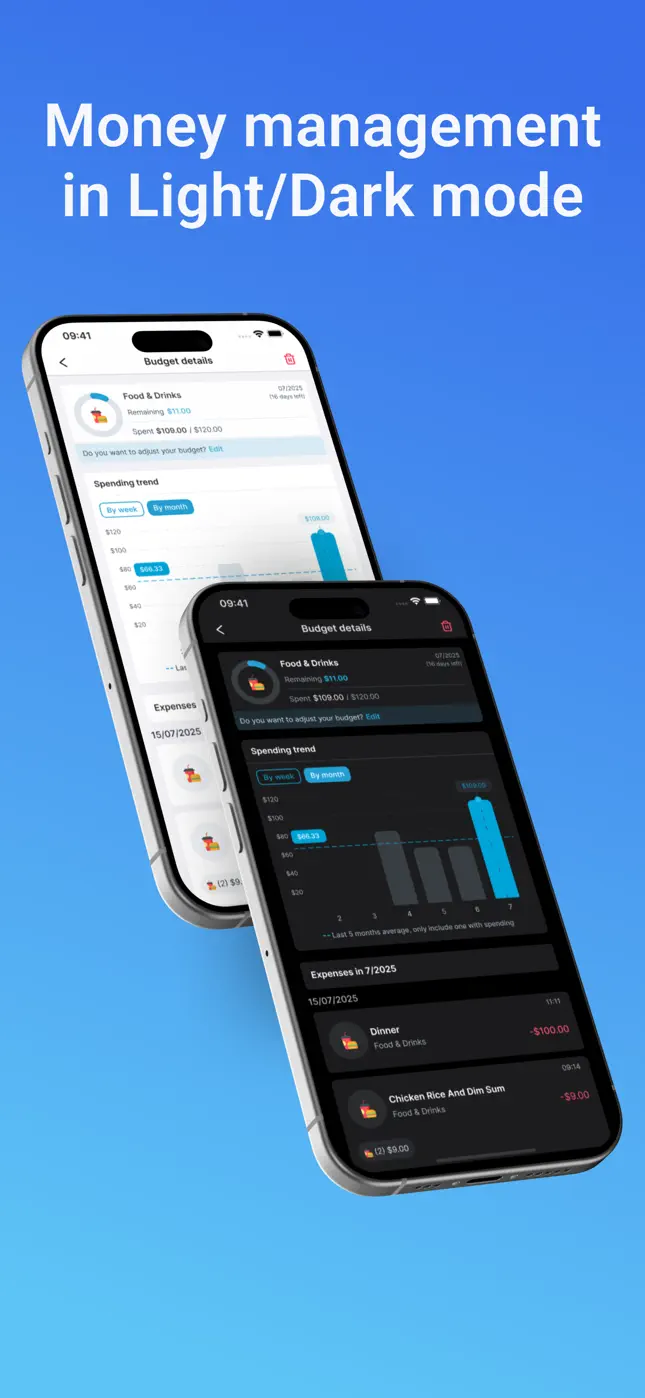
Set monthly budgets with intelligent spending alerts and visual progress tracking.
Receipt Scanning
Simply snap a photo of your receipts and let AI extract all transaction details automatically.
Spending Analytics
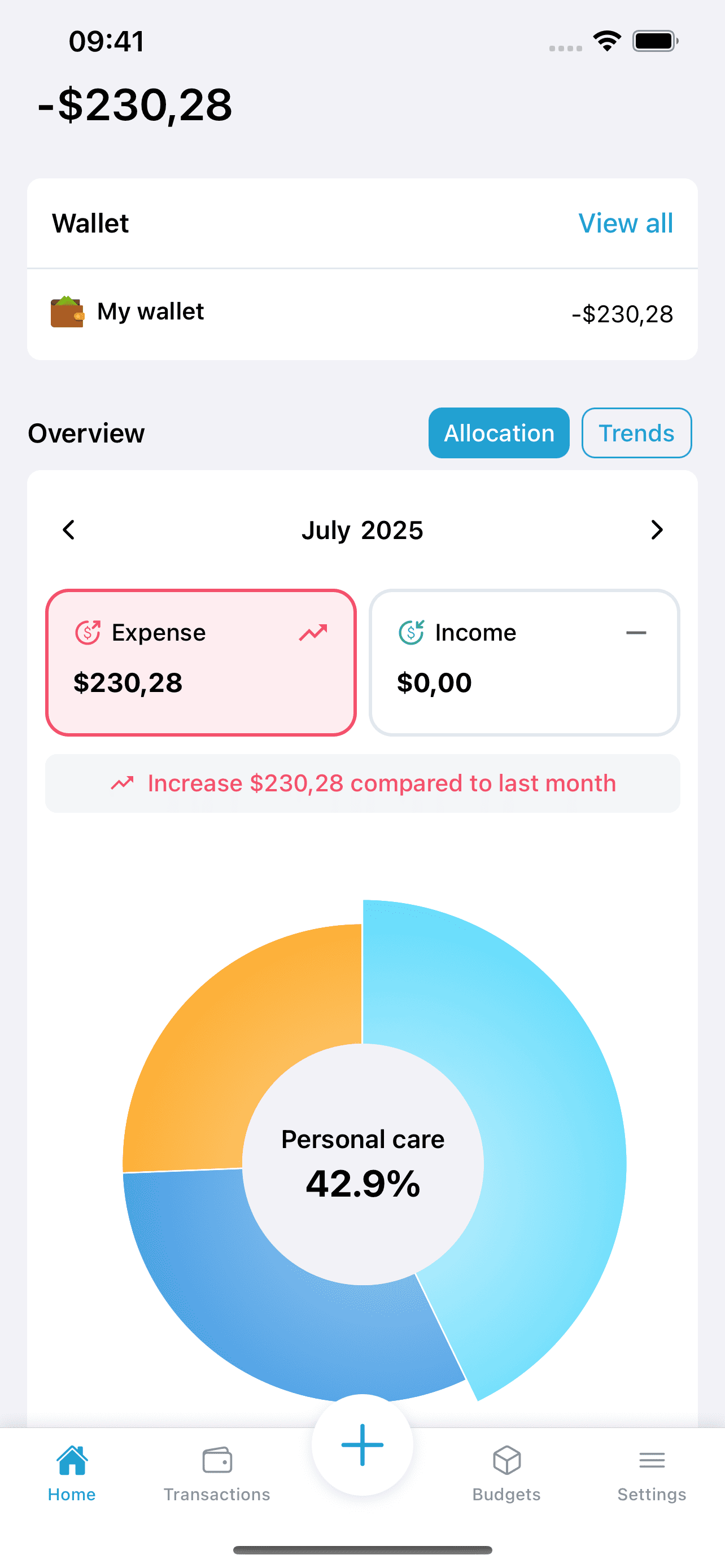
Get detailed insights into your spending patterns with interactive charts and trends.
Multi-Platform
Access your financial data seamlessly across all your devices with real-time sync.
Bank-Level Security
Your financial data is protected with enterprise-grade encryption and security measures.
How it works
From purchase to organized budget in three steps
 1
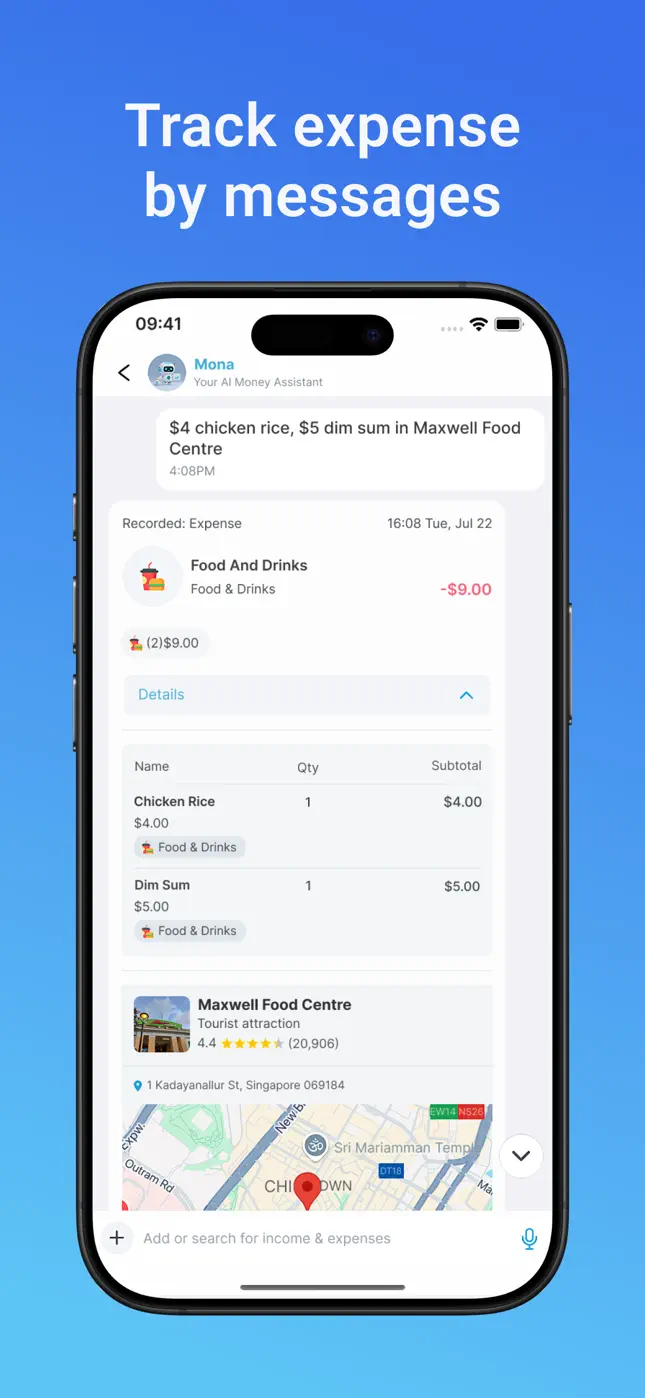
1Say it or snap it
Text Mona what you spent — or photograph the receipt. Plain language is fine: “$4 chicken rice, $5 dim sum at Maxwell Food Centre.”
 2
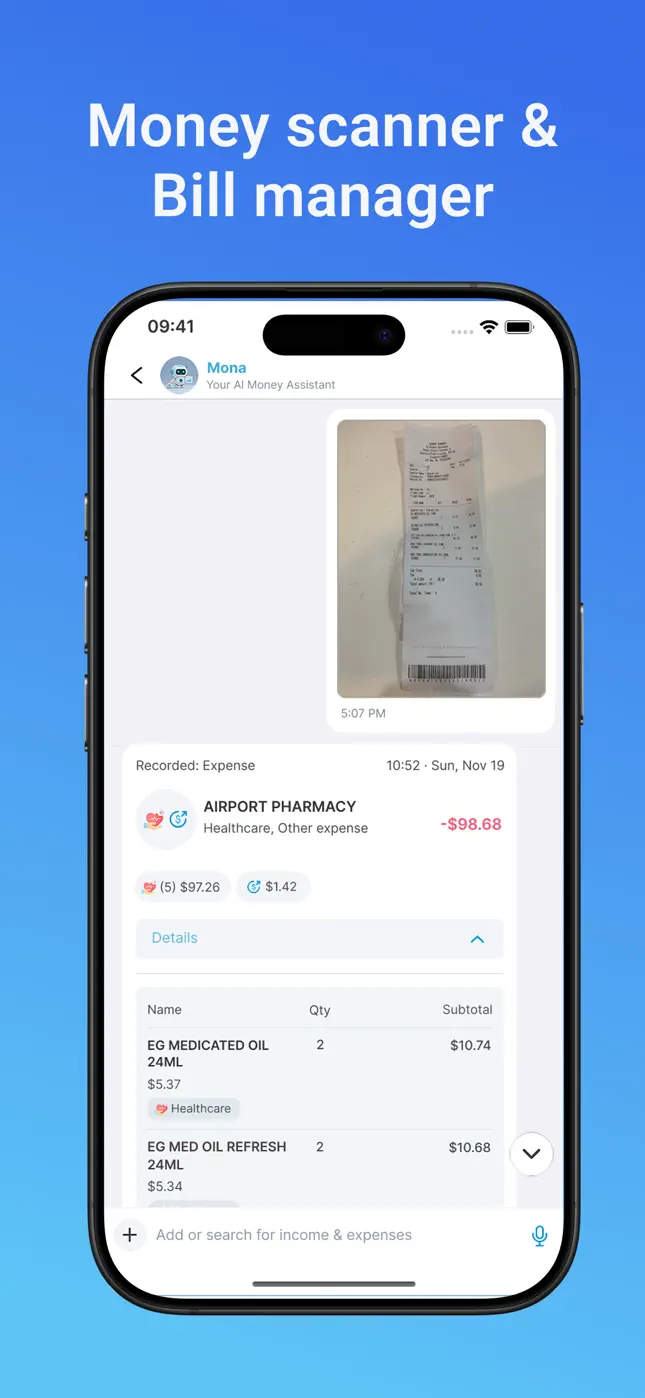
2Mona records everything
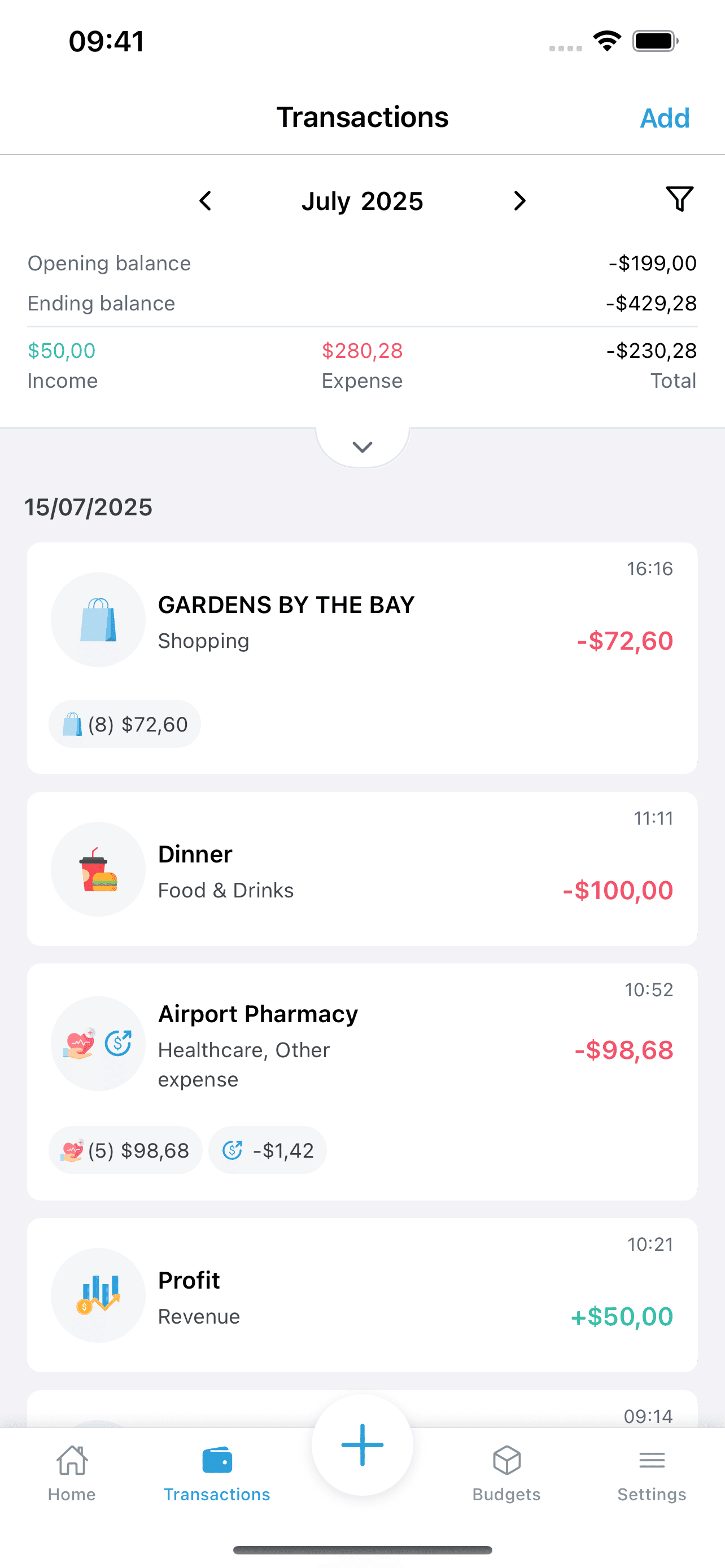
The AI extracts amounts, line items, merchant and location, assigns categories, and files the transaction — accurately, in seconds.
 3
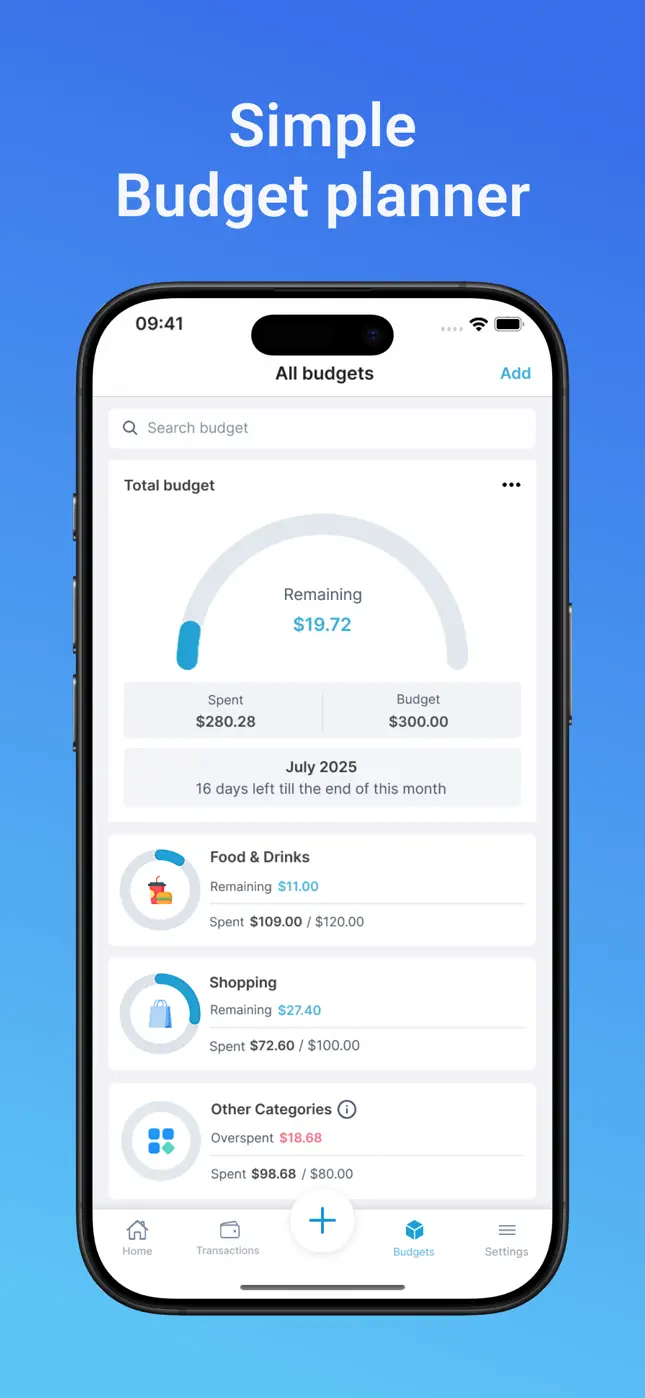
3Watch your budget update live
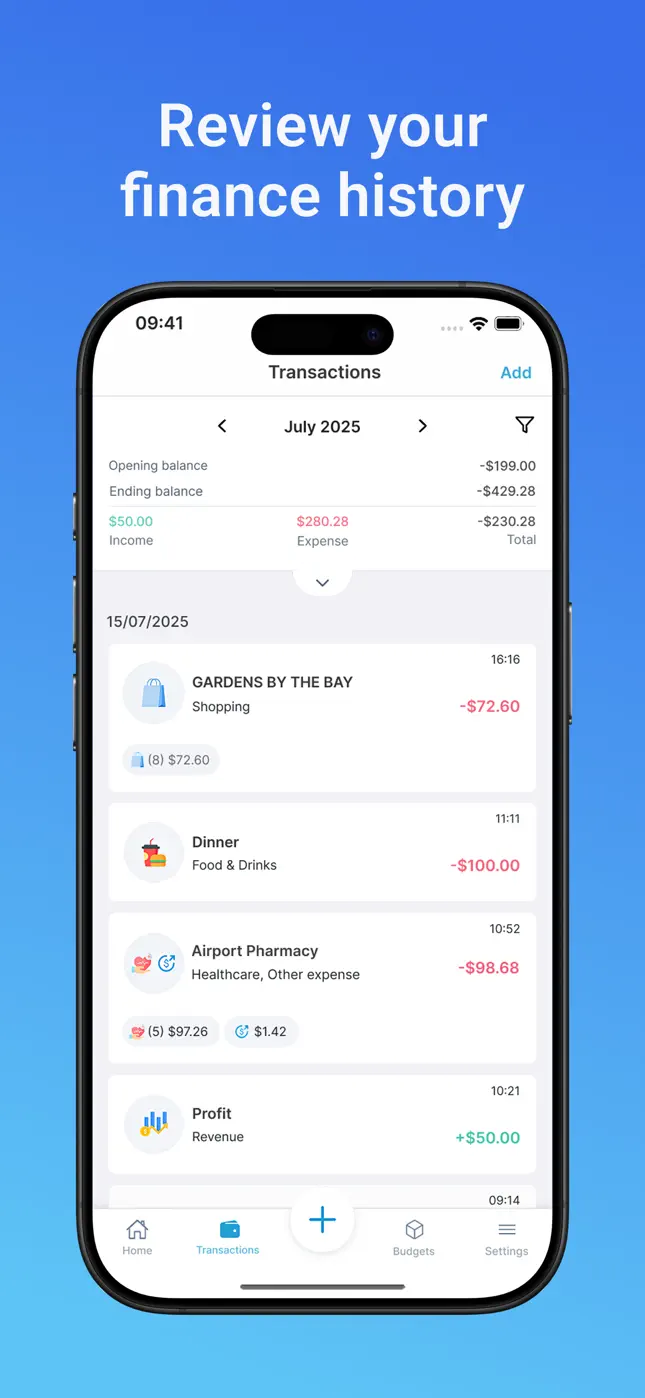
Budgets, spending trends, bill due dates and savings goals update in real time. Search any transaction instantly.
Take a look inside Mona AI
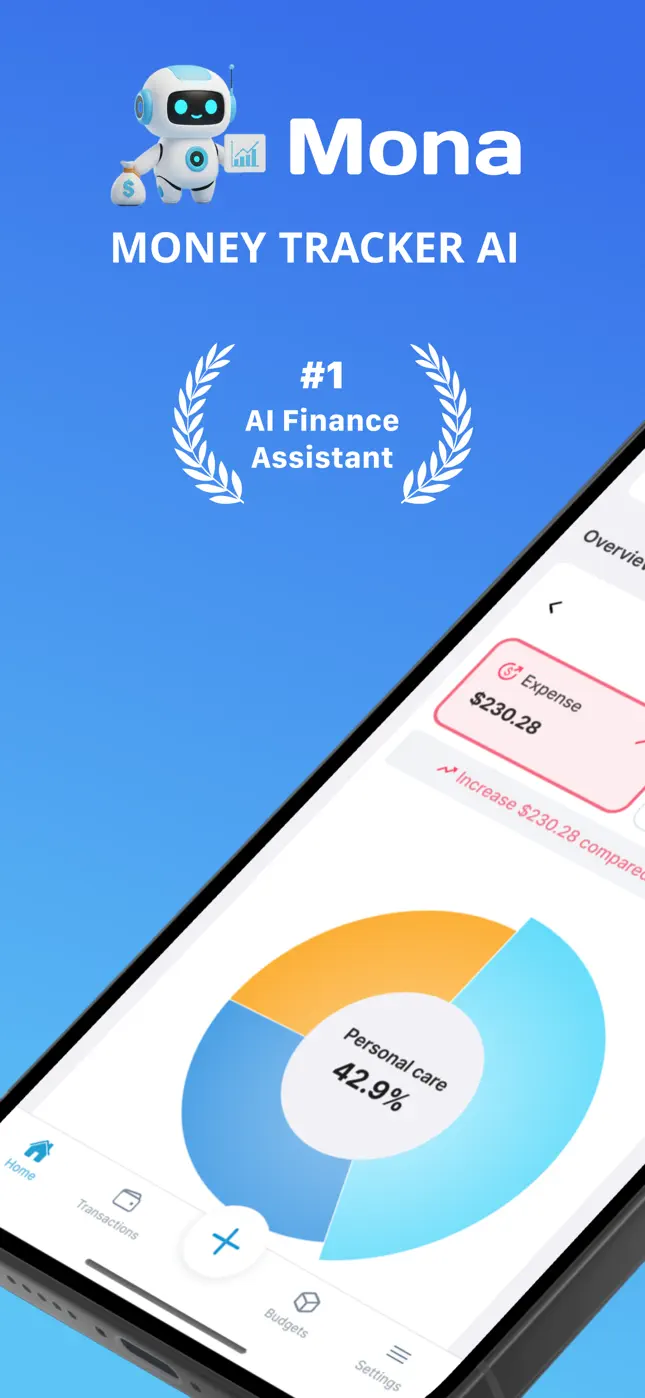
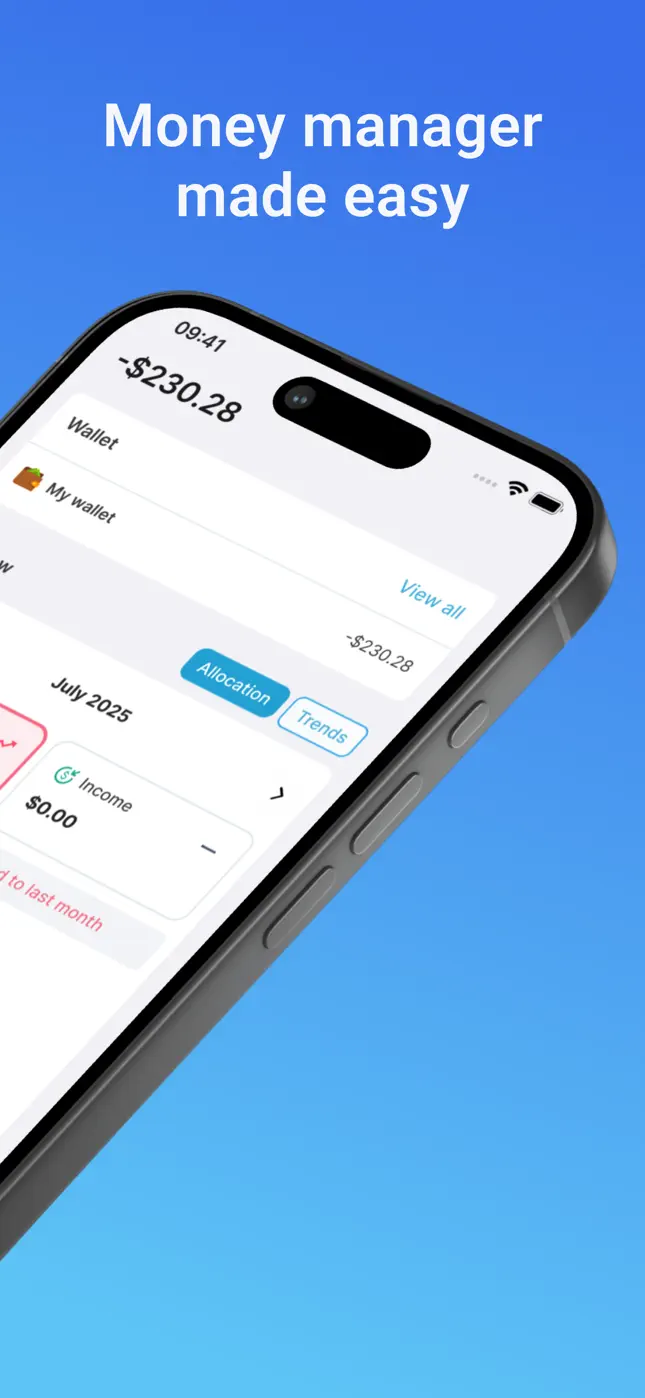
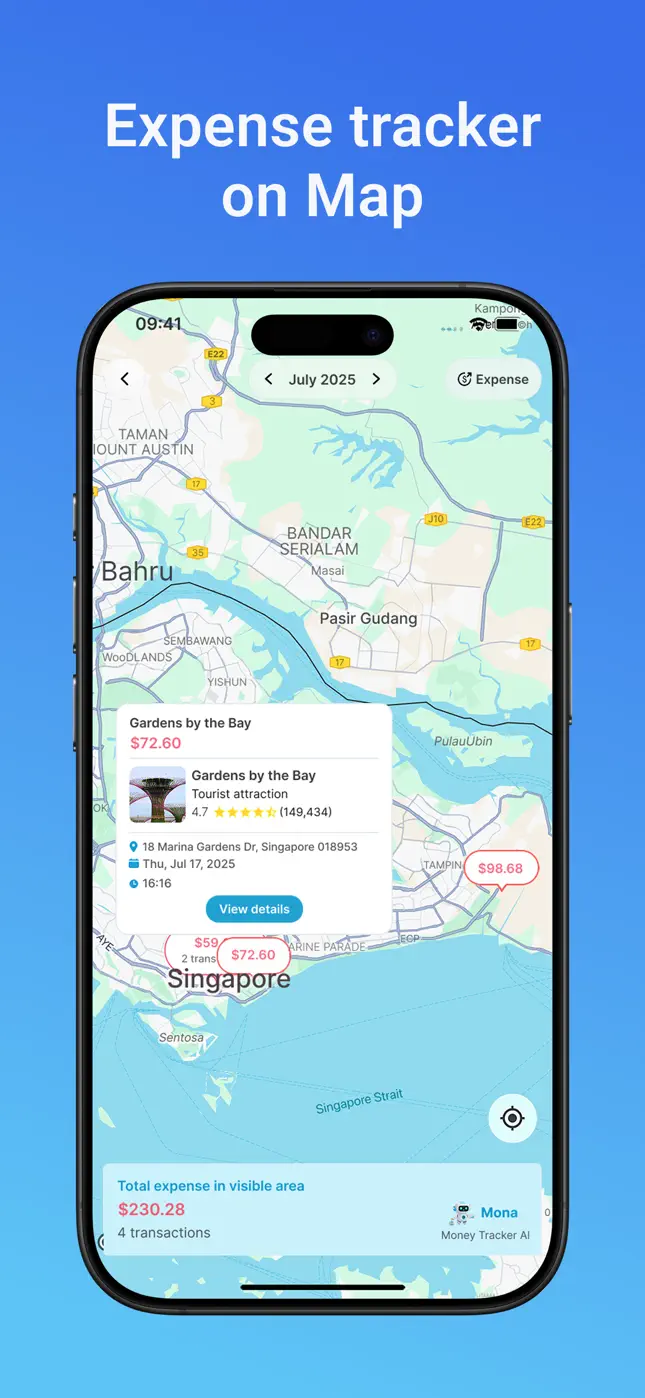
Money tracking, receipt scanning, budgets, history, maps and dark mode — here's the whole app.
Watch Money Tracker AI in Action
See how easy it is to manage your finances with our AI-powered features
Why Choose Money Tracker AI?
Effortless Expense Tracking
No more manual entry. Our AI recognizes receipts, texts, and voice commands to automatically log your expenses.
Intelligent Budget Management
Set smart budgets that adapt to your spending patterns and provide proactive alerts before you overspend.
Actionable Financial Insights
Get personalized recommendations and insights to optimize your spending and reach your financial goals faster.
Guides
Learn how to get the most out of Mona
Practical, step-by-step guides for every way people use Mona AI — from scanning receipts to planning a family budget.
What Is an AI Expense Tracker (and Why You'll Never Go Back)
How AI-powered expense tracking works, what it automates, and how to set up Mona in under two minutes.
Read the guide →How to Scan Receipts and Track Expenses Automatically
Turn a shoebox of paper receipts into itemized, categorized expenses with Mona's AI money scanner.
Read the guide →How to Track Expenses by Texting a Message
Log any purchase in five seconds by chatting with Mona in plain language — no forms, no spreadsheets.
Read the guide →The Best Budget App Without Bank Account Linking
Get near-automatic expense tracking without ever handing over your bank login or connecting an account.
Read the guide →How to Track Bills, Recurring Payments and Due Dates
Stop late fees with a bill tracker that keeps every subscription and due date organized in one place.
Read the guide →How to Set a Monthly Budget You Can Actually Stick To
Build a realistic monthly budget with category limits, a live remaining gauge and spending trends.
Read the guide →How to Track Travel Expenses in Multiple Currencies
Track trip spending across currencies and see every expense plotted on a map, city by city.
Read the guide →Expense Tracking for Students: A Free, 5-Second System
A dead-simple way for students to track food, rent, books and nights out — free and fast.
Read the guide →How to Run a Family Budget with Shared Wallets
Organize household spending with unlimited wallets — groceries, kids, holidays — in one family budget.
Read the guide →How to Set (and Hit) a Savings Goal
Use Mona's savings tracker to set a target, log contributions and watch your progress grow.
Read the guide →FAQ
Frequently asked questions
Quick answers about tracking expenses, scanning receipts, budgets, bills and savings with Mona AI.
How do I track expenses by texting instead of typing them into forms?+
Open Mona AI and send a plain-language message like “$12 lunch, $4 coffee at Starbucks”. Mona's AI parses the amounts, merchants and items, assigns categories and records each transaction instantly — no forms, no spreadsheets.
Learn more →Is there an app that scans receipts and categorizes expenses automatically?+
Yes. Mona AI's money scanner reads a photo of any receipt, extracts the merchant, every line item, quantities and totals, then categorizes the whole purchase automatically — groceries, healthcare, dining and more.
Learn more →Can I use a budget app without linking my bank account?+
Yes. Mona AI never asks for your bank login. You add expenses by chat message, voice or receipt photo, so you get near-automatic tracking with zero bank-credential risk.
Learn more →How do I keep track of bills, recurring payments and due dates?+
Mona's bill tracker stores every recurring payment with its amount and due date, keeps them organized in one bill organizer view, and helps you see what's coming before it hits.
Learn more →How do I set a monthly budget and actually stick to it?+
Create a total monthly budget plus per-category budgets (Food & Drinks, Shopping, etc.). A live gauge shows what's remaining, spending trends chart your week-by-week pace, and overspent categories are flagged in red.
Learn more →What's the best way to track travel expenses in multiple currencies?+
Mona AI records spending in multiple currencies and plots every expense on a map, so you can see exactly what you spent, where, and in what currency — including totals per area.
Learn more →How can students track spending for free?+
Mona AI is free to download and free for everyday tracking. Text expenses like “$8 coffee study session” in seconds and set simple budgets for food, rent and books.
Learn more →Can my family share one budget with separate wallets?+
Yes. Mona supports unlimited wallets, so you can keep household spending, personal money and business expenses separate while planning one family budget.
Learn more →How do I track progress toward a savings goal?+
Set a savings goal in Mona's savings tracker and log contributions as they happen. Mona shows your progress toward the goal so you always know how far you've come and what's left.
Learn more →Is Money Tracker - Mona AI free, and is my data private?+
Mona AI is free on the App Store and Google Play, with an optional Premium plan for unlimited receipt scans and AI messages. Your financial data is protected with industry-standard security, and no bank login is ever required.
Ready to Transform Your Financial Life?
Join thousands of users who have already taken control of their finances with Money Tracker AI
Free to download • No credit card required • Available worldwide