
Why savings goals stall
“Save more” isn't a goal, it's a mood. Goals that get hit have three properties: a number, a name, and visible progress. “$3,000 emergency fund, $250/month, currently 40%” survives contact with real life; “try to spend less” doesn't.
The other stall point is fuel: you can't save money you haven't found. That's why a savings tracker works best inside an expense tracker — the spending side shows exactly where next month's $250 is hiding.
The Mona savings loop
- Name the goal in the savings tracker with a target amount and (optionally) a date.
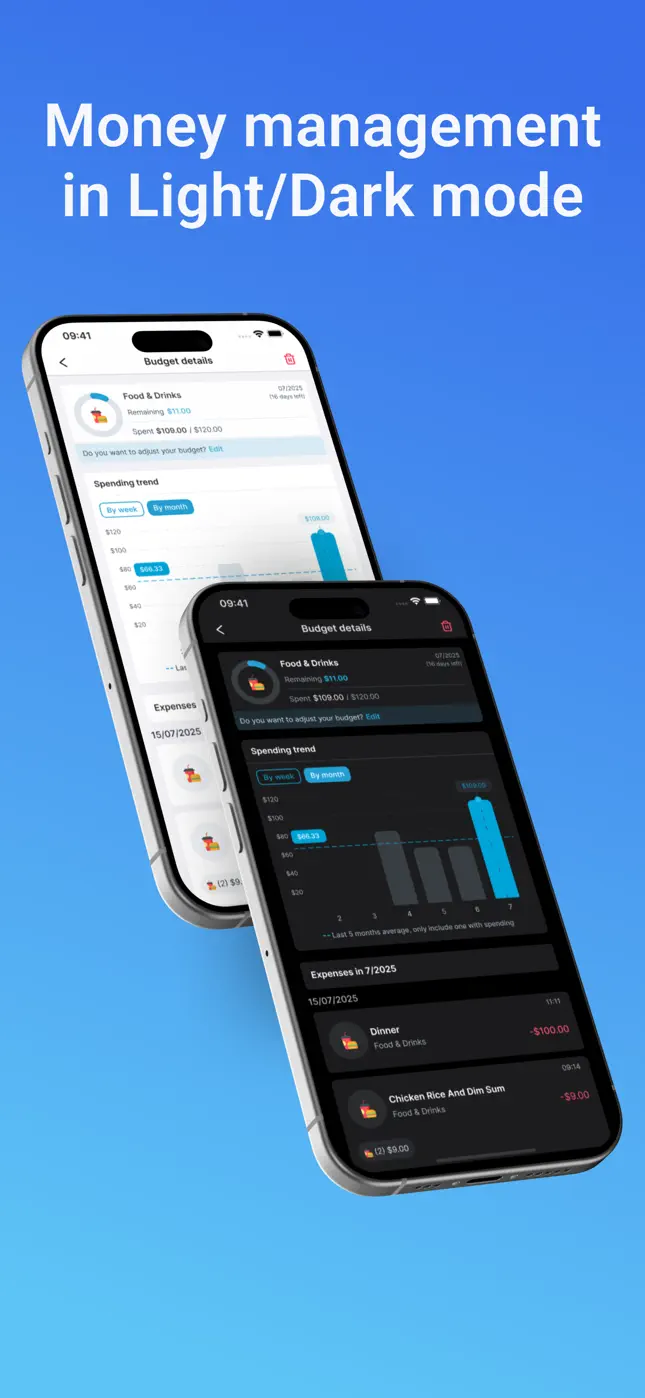
- Find the fuel: your budget and spending trends show which categories have slack — the red flags are your donors.
- Log contributions the moment you move money — a five-second message, like any transaction.
- Watch the bar fill. Progress you can see is progress you protect; it's the same psychology that makes step counters work.

Try it free now
Money Tracker – Mona AI · Free on iPhone & Android · No bank login required

Set up your first goal, step by step
- Download Mona AI free and track spending normally for a couple of weeks.
- Pick one goal — emergency fund first, then the fun ones (trip, laptop, deposit). One goal beats five.
- Set the target in the savings tracker with an amount that your budget says is realistic.
- Automate the trigger: same day each month (payday works), move the money and log it in Mona.
- Review monthly: if a budget category consistently underspends, raise the contribution; if you raided the goal, log that too — honest data keeps the tracker useful.
Goal ideas that work well in Mona
- Emergency fund — the classic first goal; even $500 changes how emergencies feel.
- Travel fund — pairs perfectly with the travel expense tracker when you finally go.
- Big purchase — laptop, bike, deposit; a named wallet keeps the money psychologically off-limits.
- Family goals — shared targets live nicely alongside family wallets.
Frequently asked questions
Can I have more than one savings goal?+
Yes — track multiple goals, though momentum is usually best with one primary goal at a time.
How does Mona help me find money to save?+
The budget planner and spending trends expose slack — categories consistently under their limit — which is exactly the money to redirect toward the goal.
Is the savings tracker free?+
Yes — savings goals are part of the free app, alongside chat expense logging, budgets and history.
Ready to put this into practice?
Download Money Tracker – Mona AI free and set it up before your next purchase.