
The real cost of untracked bills
Subscriptions creep. Utilities fluctuate. Annual charges land in months you forgot about. Studies consistently find people underestimate their subscription spending by large margins — and one missed credit-card due date can cost more in fees and interest than a year of any budgeting app.
A bill organizer solves this with one habit: every recurring payment gets recorded once, with its amount and due date, in a single place you actually check.
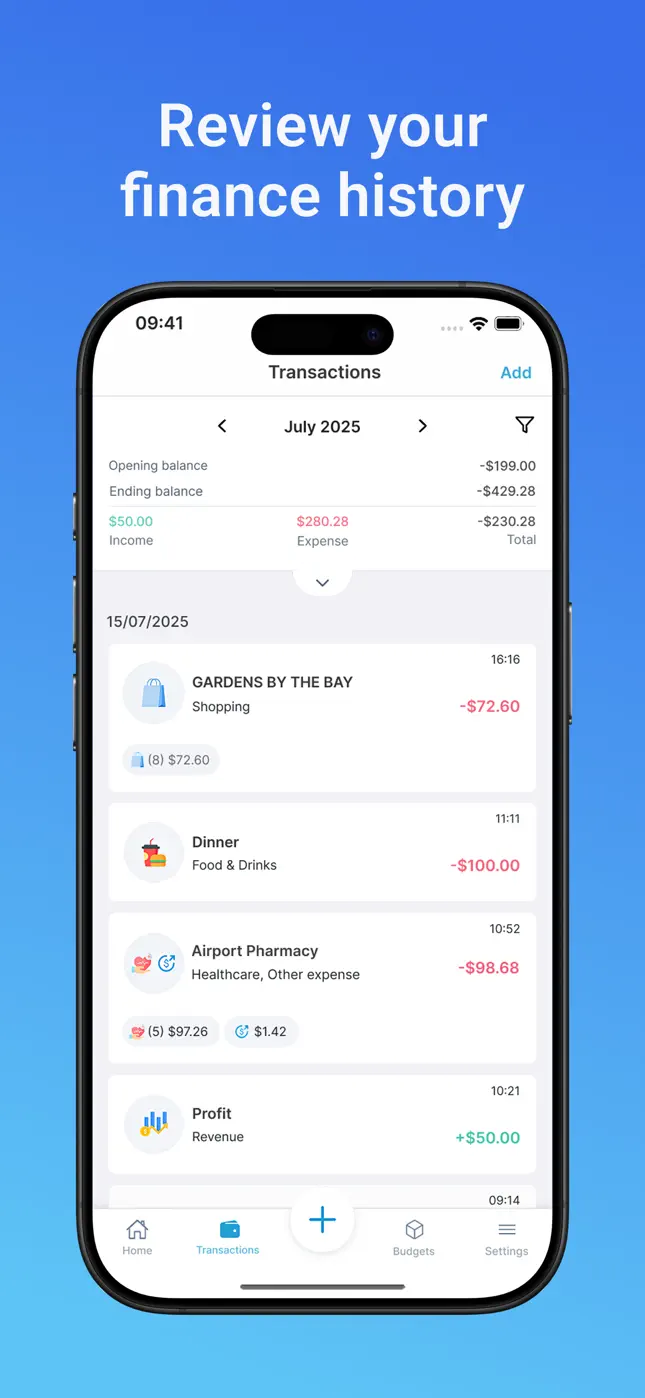
What Mona's bill manager gives you
- One view of all recurring payments — rent, utilities, subscriptions, insurance, phone.
- Due dates you can see coming, so cash is in the right place before the charge.
- Bill scanning: photograph a paper bill and the money scanner records it — amounts, line items, dates.
- History and search: every paid bill lands in your transaction history, searchable by merchant or category.
- Budget integration: bills count against your monthly budget automatically, so “fixed costs” and “fun money” stay honest.
Premium adds advanced bill-manager features for heavy recurring-payment users.

Try it free now
Money Tracker – Mona AI · Free on iPhone & Android · No bank login required


How to set up your bill tracker, step by step
- Download Mona AI free on iPhone, iPad or Android.
- List your recurring bills. Go through last month's statement once — rent, streaming, phone, utilities, insurance.
- Add each to Mona by telling the assistant (“Netflix $15.99 monthly on the 12th”) or scanning the bill.
- Check the upcoming view weekly. Thirty seconds tells you what's due and what's changed.
- Prune ruthlessly. Seeing all subscriptions in one list is usually worth $20–50/month in cancellations alone.
Frequently asked questions
Can Mona track annual bills as well as monthly ones?+
Yes — record any cadence of recurring payment with its due date, from weekly subscriptions to annual insurance premiums.
Can I scan a paper bill instead of typing it?+
Yes. Photograph the bill and Mona's scanner extracts the amounts and details, then records it like any other transaction.
Will bills show up in my budget?+
Yes — every bill counts against your monthly budget and its category, so fixed costs are always part of the real picture.
Ready to put this into practice?
Download Money Tracker – Mona AI free and set it up before your next purchase.